

Site Index









PulseView has been made for the Windows operating systems of which we support XP, Vista (32 and 64-bit), and Windows 7. If there was a straight forward way to create an application for Apple or Linux, we would. Unfortunately, we have not yet found a way to do this. Some customers have had success with Windows emulators.
Installation
- Download the file to a location on your computer.
- Unzip the file using something like WinZip or Windows built-in 'UnCompress.'
- Double-Click on the PulseViewSetUp.msi file to run the installation wizard.
- If your operating system asks if you can trust the creator, say 'yes'. You can trust us.
Let us know if you have any difficulties installing the program. Check back to this page for updates.
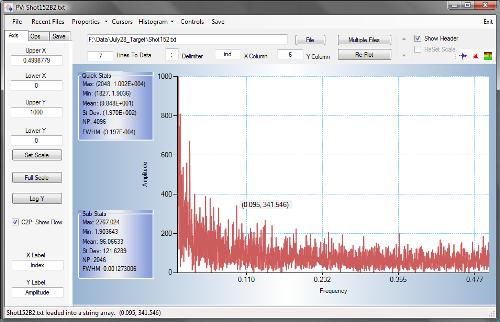
Screen Shot of PulseView's
Fast Fourier Transform Function